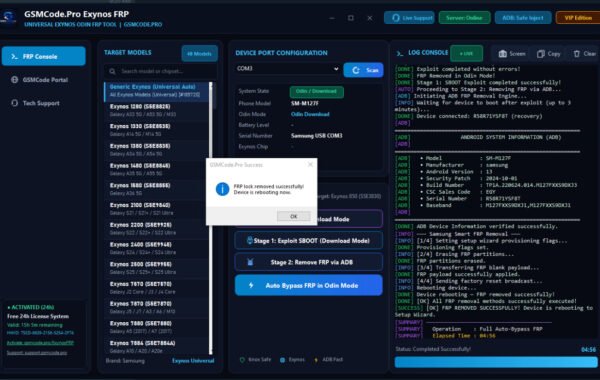
SamXTool Samsung FRP Bypass Tool Free Download 2026
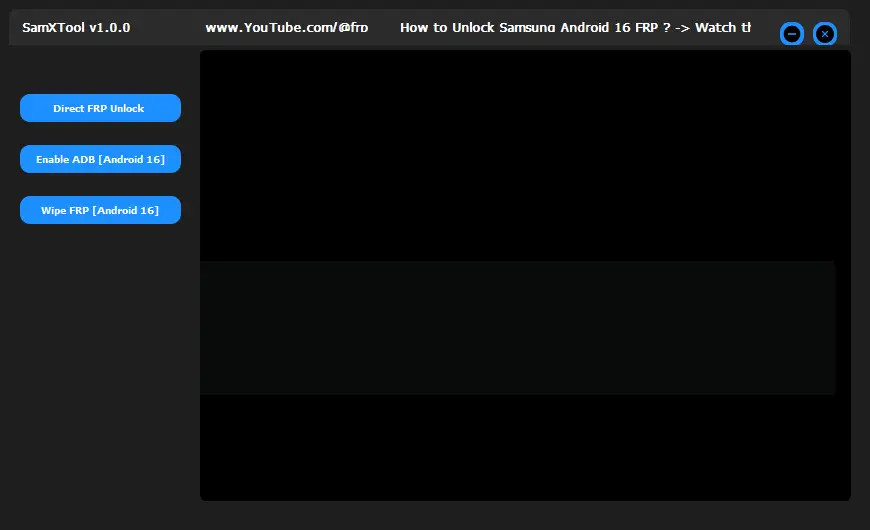
Getting locked out of your Samsung smartphone due to Factory Reset Protection (FRP) is a frustrating experience. Whether you bought a second-hand phone or simply forgot your Google account credentials after a hard reset, the “Verify your account” screen can feel like a brick wall.
Enter SamXTool, one of the most reliable and efficient tools designed specifically to bypass Samsung FRP locks across almost all Android versions. In this guide, we’ll explore what SamXTool is, its key features, and how you can download it for free.
What is SamXTool?
SamXTool is a lightweight yet powerful Windows-based utility designed for Samsung users and technicians. It specialises in bypassing the Google Account Lock (FRP) using the “Test Mode” method (#0#).
Unlike other paid tools that require expensive credits, SamXTool has gained popularity in the tech community for being fast, effective, and most importantly, free to use.
Key Features of SamX Tool
- One-Click FRP Bypass: No more navigating through complex menus or manual “TalkBack” hacks. SamXTool automates the process.
- Wide Compatibility: It supports a vast range of Samsung Galaxy devices, from older models to the latest flagship series.
- Android Version Support: It works seamlessly on Android 9, 10, 11, 12, 13, and even the latest Android 14 security patches.
- User-Friendly Interface: You don’t need to be a software engineer to use it. The layout is clean and straightforward.
- No Credits Required: Many tools charge
10−10−20 per unlock. SamXTool offers its bypass functions for free. - ADB Enablement: It quickly enables ADB (Android Debug Bridge) through the emergency dialer, which is the “magic key” to removing the lock.
How to Use SamX Tool to Bypass Samsung FRP
Before you begin, ensure you have a stable Windows PC and a high-quality USB cable.
- Download and Extract: Download the latest version of SamX Tool (link below) and extract the ZIP file to your desktop.
- Install Drivers: Ensure you have the latest Samsung USB Drivers installed on your PC.
- Launch the Tool: Open the SamXTool.exe file as an Administrator.
- Connect Your Phone: Power on your Samsung device and connect it to the PC.
- Enter Test Mode: On your phone, go to the Emergency Call dialer and type *#0*#. A diagnostic menu should appear.
- Start the Process: In SamXTool, click on the Remove FRP button.
- Allow USB Debugging: Keep an eye on your phone screen. When a pop-up appears asking to “Allow USB Debugging,” check the box and tap OK/Allow.
- Reboot: The tool will finish the script, and your phone will automatically reboot. Once it turns back on, the Google lock will be gone!
SamX Tool Free Download (All Versions)
To get the most stable performance, always use the latest version of the tool.
- File Name: SamXTool_V1.0.zip (or latest version available)
- Platform: Windows 7, 8, 10, 11 (64-bit recommended)
- License: Free
Also Read:
- MH-Unlocker Tool free download
- All Box&Dongel Activation here
- Motorola XT2527-6 G86 5G MDM Lock Remove File Free Download
Password: 12345678
Disclaimer: This tool is intended for educational purposes and for use by legal owners of devices. Using this tool on stolen property is illegal. Always backup your data before performing software modifications.
FAQ,
1. Is SamXTool really free?
Yes, SamXTool is currently a free utility. Unlike many “Pro” tools that require monthly subscriptions or “credits” per phone, you can use SamXTool without any hidden costs.
2. Does SamXTool work on the latest Android 14?
Yes, SamXTool supports the latest security patches. However, the success depends on your device’s ability to enter the “Test Mode” (#0#) through the emergency dialer.
3. My antivirus is flagging SamXTool as a virus. Is it safe?
Most FRP bypass tools are flagged as “False Positives” by Windows Defender and Antivirus software because they modify system-level files to enable ADB. It is generally safe to use, but it is recommended to disable your antivirus temporarily during the process.
4. What should I do if #0# doesn’t work on my Samsung?
If your device does not open the diagnostic menu with the *#0*# code, it means your service provider or specific regional firmware has disabled it. In this case, you may need to use an alternative method like “MTP mode” or “Download Mode” tools.
5. Will SamXTool wipe my data?
FRP bypass usually happens after a factory reset has already occurred. Using the tool itself does not delete your photos or videos, but since you are likely stuck on the activation screen, your data has probably already been wiped during the initial reset.
6. Can I use this on a Mac?
No, SamXTool is a .exe file designed specifically for Windows OS. To use it on a Mac, you would need to run a Windows virtual machine or use Boot Camp.
Conclusion
If you are looking for a fast, no-nonsense solution to your Samsung lock problems, SamXTool is a top-tier choice. Its ability to handle multiple Android versions and its simple “One-Click” philosophy make it a must-have for any Samsung user’s toolkit.
Download SamXTool today and get back into your device in minutes!