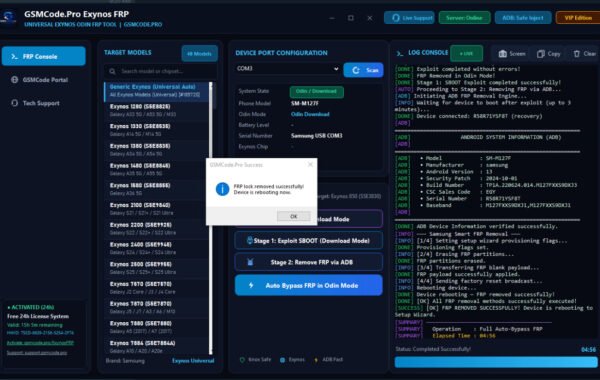
TMT TOOL PRO V3.0.0.3 Latest Free Download
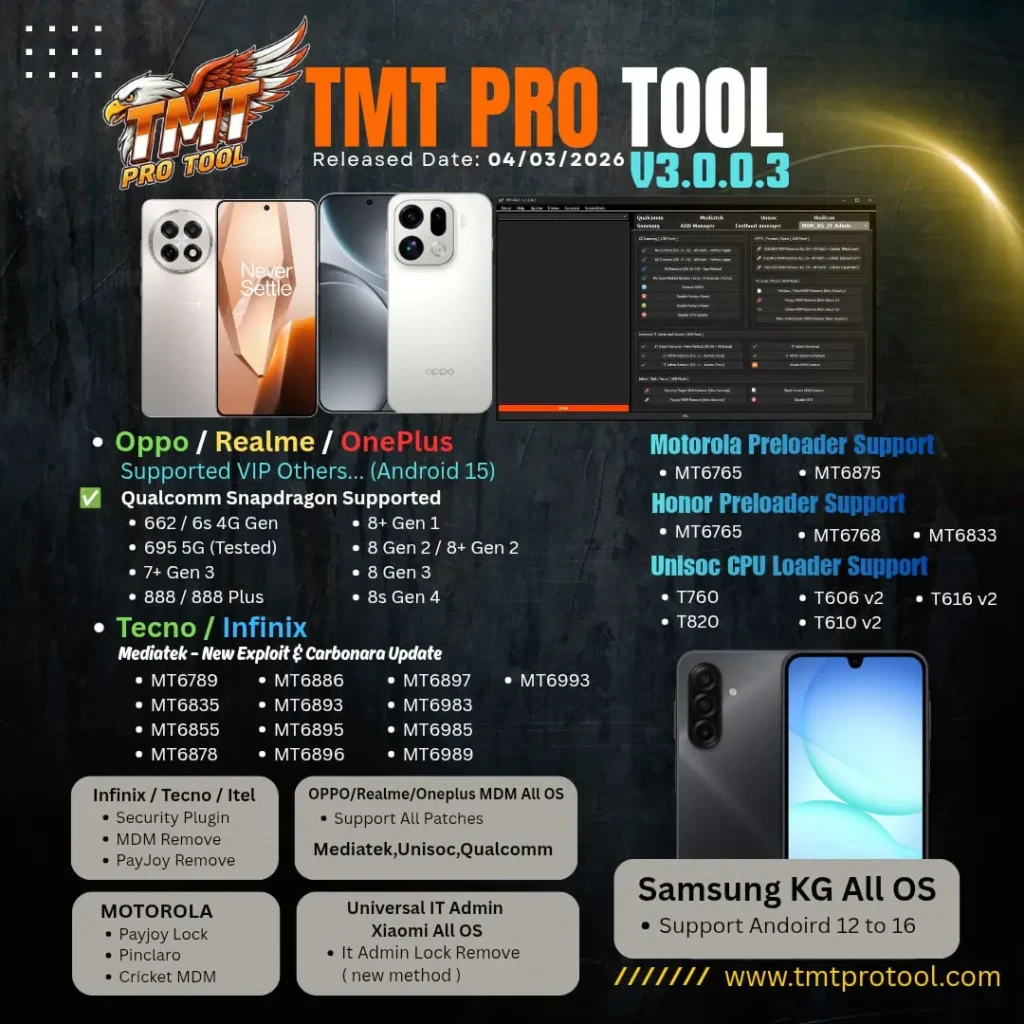
If you are a mobile technician or a DIY enthusiast looking for a powerful, all-in-one solution for Android repairs, the TMT TOOL PRO has just released its most significant update yet. Version V3.0.0.3 is now available, bringing a host of new features, including full support for Android 15 and the latest security patches.
In this guide, we will explore why TMT TOOL PRO is becoming the go-to choice for GSM experts, what’s new in the V3.0.0.3 update, and how you can download it for free to streamline your repair workflow.
What is TMT TOOL PRO?
TMT TOOL PRO (also known as Trox Multi Tool Pro) is a professional-grade software designed for servicing Android smartphones. It supports a wide range of chipsets, including Qualcomm Snapdragon, MediaTek (MTK), and Unisoc (SPD). Whether you need to bypass a Google account (FRP), remove MDM locks, or flash official firmware, this tool offers a simplified interface with high success rates.
What’s New in TMT TOOL PRO V3.0.0.3?
The latest V3.0.0.3 update is specifically designed to handle the 2026 security standards. Here are the key highlights:
- Android 15 Support: Full compatibility with the latest Android version across multiple brands.[1][4]
- New CPU Support: Added support for high-end processors like Snapdragon 8 Gen 3, 8s Gen 4, and the Dimensity 9000 series.
- Advanced MDM & PayJoy Removal: Improved algorithms to remove retail locks, IT Admin locks, and PayJoy/Cloud locks on Samsung, Motorola, and Xiaomi devices.
- Samsung KG Lock (Bypass/Remove): Enhanced support for Samsung Knox Guard (KG) across various security levels.
- Xiaomi IT Admin Fix: A new method to permanently remove “Managed by your organisation” locks on Xiaomi devices.
Key Features of TMT TOOL PRO:
- Qualcomm Module:
- Flash Mode: Full firmware flashing (XML/Patch), Read/Write/Erase partitions.
- Unlock Operations: Reset FRP, Format Data, and EFS Reset.
- IMEI Repair: Universal method for dual IMEI repair (Diagnostic Mode).
- MediaTek (MTK) Module:
- Auth Bypass: No need for authorised accounts to flash or unlock MTK devices.
- Partition Manager: Read and write NV data to fix network issues.
- V3.0.0.3 Special: Added support for MT6896, MT6985, and MT6993 chipsets.
- Unisoc (SPD) Module:
- Support for the latest T760, T820, and T616 V2 loaders.
- One-click FRP removal and factory reset for budget-friendly devices (Infinix, Tecno, Itel).
- Special Brand Tools:
- Motorola: PayJoy and MDM remove support.
- Oppo/Realme/OnePlus: VIP model support and Master Reset functions.
- Infinix/Tecno: Dedicated security plugins to fix “System Destroyed” errors.
How to Install TMT TOOL PRO V3.0.0.3:
Follow these steps to set up the tool on your Windows PC:
- Download: Get the TMT TOOL PRO V3.0.0.3 setup file from a trusted source.
- Disable Antivirus: Since this is a system-level repair tool, some antivirus software may flag it as a false positive. Disable your protection temporarily.
- Extract & Install: Extract the ZIP file and run TMT-PRO_Setup.exe as an Administrator.
- Login: Open the tool and use your credentials. (Many versions currently offer a 30-day free trial for new users.
- Install Drivers: Ensure you have the latest Qualcomm and MTK USB drivers installed for the tool to detect your phone.
Rad Also:
- VG Mobile Service Tool V5.1 Latest Free Download
- All Box&Dongal Activation here
- Oppo A60t Pro Flash File
FAQ,
Q1: Is TMT TOOL PRO V3.0.0.3 really free?
Yes, the setup is free to download. While it is a premium tool, the developers often provide trial periods (like the current 30-day free login) to allow technicians to test the features before purchasing a full license.
Q2: Does it support IMEI repair?
Yes, TMT TOOL PRO supports IMEI repair on various Qualcomm and MTK models. However, please ensure you use this feature responsibly and only for legal repair purposes (e.g., restoring a corrupted original IMEI).
Q3: Can I remove the Google Account (FRP) on Samsung Android 15?
Yes! One of the major updates in V3.0.0.3 is the enhanced FRP bypass for Samsung devices running the latest Android 14 and 15 security patches via MTP or EDL mode.
Q4: Do I need a Dongle or Box to use this?
No, TMT TOOL PRO is a login-based software. You do not need a physical hardware dongle to run the program; you only need a stable internet connection for the initial login.
Q5: Which Windows versions are supported?
The tool works perfectly on Windows 10 and Windows 11 (64-bit).
Conclusion:
The TMT TOOL PRO V3.0.0.3 is a must-have for anyone serious about mobile software repair in 2026. Its ability to handle the toughest MDM locks and the latest Android 15 devices makes it a highly competitive choice in the GSM market.